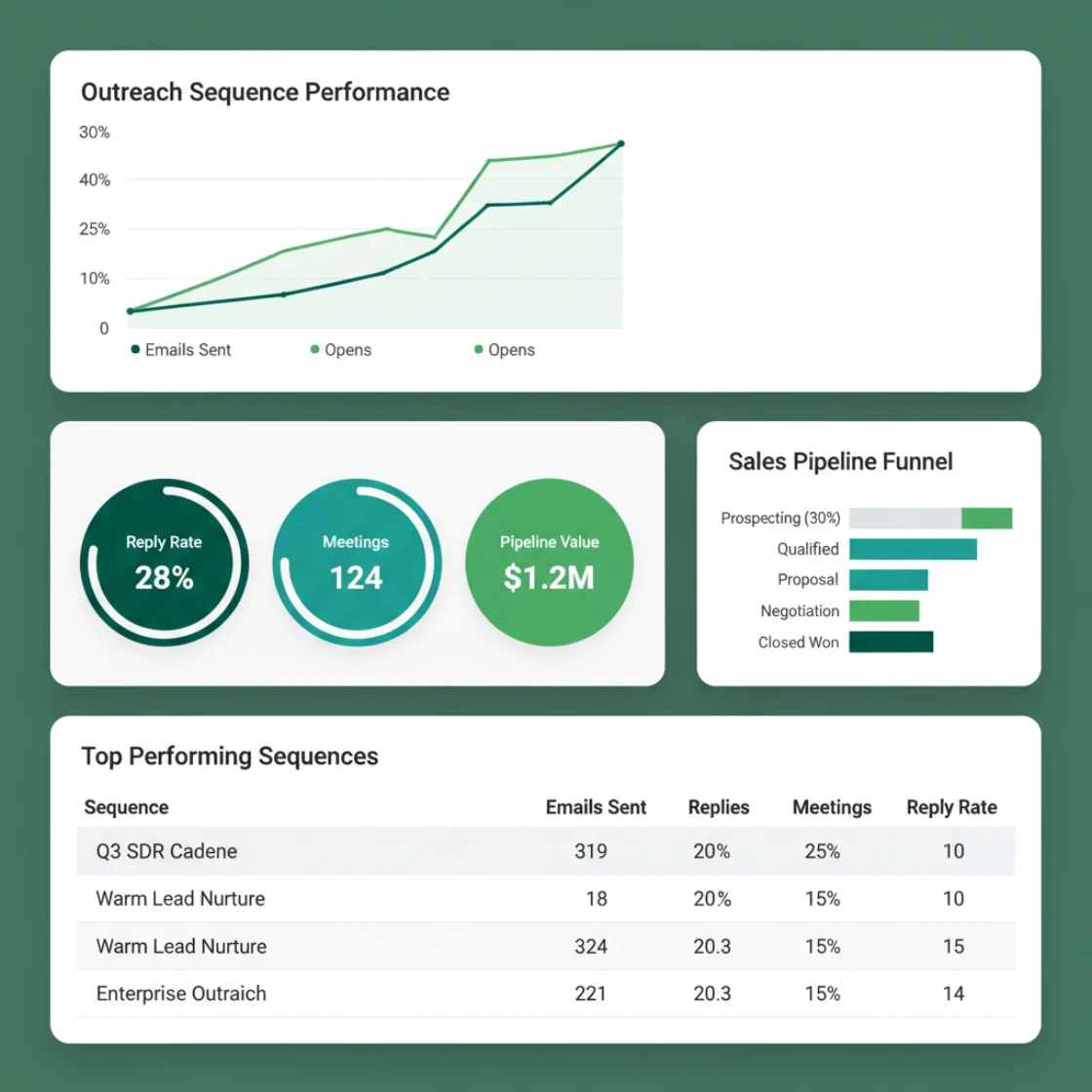
You run cold email for multiple clients and your current platform shows open rates while your clients ask why meetings cost $847 each. SpamCipher is the cold email platform for unlimited, automated sending that ties every send to pipeline revenue, not vanity metrics. Unlike tools that bolt analytics onto basic sending, SpamCipher's owned deliverability pipeline captures placement, reply, and conversion data from the same infrastructure that delivers your mail.
Open rates do not pay agency retainers. When you send 50,000 cold emails a month across twelve client domains, your reporting stack has to answer one question: did this send generate revenue? Most platforms treat analytics as a reporting layer painted over sending infrastructure. That architecture breaks at volume. This guide covers what detailed analytics actually means for high-volume cold email operations, why deliverability data belongs in the same system as revenue tracking, and how to build ROI measurement that survives scale.
Why Vanity Metrics Fail at Volume
Agency operators learn fast that 40% open rates mean nothing when inbox placement collapses in week three. A client sees the dashboard, sees green arrows, and still cancels because their SDR calendar is empty.
The problem is architectural. Most cold email platforms capture engagement events, clicks, opens, replies, from the message body or tracking pixels. They do not capture whether the message reached the inbox in the first place. When you scale to 30,000 sends daily across rotated mailboxes, that blind spot becomes expensive.
Suppose you run campaigns for a B2B SaaS client. Week one: 15% reply rate, three meetings booked. Week four: 12% reply rate, zero meetings. The platform shows "engagement down 20%." The real story: your primary sending domain hit spam folders on Tuesday, but the tracking pixel still fires when Gmail users open the spam tab. Your analytics show activity. Your pipeline shows silence.
Real ROI tracking requires three data layers operating together:
- Placement data: Did this message reach the inbox, spam, or bounce?
- Engagement data: Opens, clicks, replies, unsubscribes
- Revenue data: Meetings booked, pipeline created, deals closed
Most platforms own layer two. They rent layer one from third-party inbox placement tools that sample 1% of sends. Layer three requires manual CSV exports and spreadsheet gymnastics. By the time you know a domain is burned, you have sent 8,000 messages that never had a chance to convert.
What "Detailed Analytics" Actually Means for Agencies
Detailed analytics for high-volume cold email is not more charts. It is the right data captured at the right point in the sending pipeline.
Per-Domain Placement Tracking
When you rotate across forty client domains, you need placement visibility per domain, not aggregate averages. A domain sending 2,000 messages daily can hit spam folders while your aggregate shows 89% inbox placement. You need to catch that domain before it damages client reputation.
Cost-Per-Meeting in Real Time
Agency economics run on unit economics. If your client pays $4,000 monthly and you book eight meetings, your cost-per-meeting is $500. But that calculation requires connecting send volume to CRM outcomes automatically. Manual tracking breaks above three clients.
Warm-Up Progress Integration
Domains in warm-up phase should not appear in the same reports as production domains. Your analytics must tag sending infrastructure by lifecycle stage and surface when a domain is ready to rotate into production volume.
Blacklist and Reputation Correlation
Blacklist hits do not always stop delivery entirely. A domain on a minor blacklist might see 60% inbox placement instead of 95%. Your analytics need to correlate reputation events with placement and reply rate changes, not just alert after the fact.
SpamCipher captures all four because sending, warm-up, placement monitoring, and revenue attribution run on one owned pipeline. Events are not stitched together from three APIs with different timestamps. A reply logged at 2:47 PM traces back to the exact mailbox, domain, and placement result from the send two hours earlier.
Worked Example: Building Multi-Client ROI Tracking
Here is how a twelve-client agency builds reporting that answers client questions before they ask.
The setup: You manage cold email for three verticals: healthcare SaaS, commercial real estate, and fintech. Each vertical runs four domains, 48 total mailboxes, approximately 40,000 sends daily. Target cost-per-meeting: $400 or below.
Week one baseline: Without integrated placement data, your dashboard shows 18% reply rate across all campaigns. You report success. Two clients notice their SDRs have no meetings. You discover three domains in the healthcare vertical hit spam folders on Microsoft addresses. Your "reply rate" counted auto-responses and out-of-office replies. Actual positive reply rate: 3%.
The fix with owned-pipeline analytics:
- Each send is tagged with domain, mailbox, vertical, and campaign ID before it leaves the infrastructure
- Inbox placement is monitored per domain via seed network, not sampled aggregates
- Replies are classified by sentiment (positive, neutral, negative, auto-response) via the same system that handles rotation
- Positive replies trigger webhook to CRM, creating opportunity records with original campaign attribution
- CRM updates flow back to reporting dashboard, closing the loop on cost-per-meeting
Week four result: Healthcare vertical shows $312 cost-per-meeting. Real estate: $287. Fintech: $445, flagged for review. Drilling down, two fintech domains show 72% inbox placement versus 94% for the vertical average. You pause those domains, rotate in warm replacements, and preserve client ROI.
This level of granularity requires analytics built into sending infrastructure, not layered on top. Rotation, throttling, and reporting must share the same data model or you get timing mismatches that make attribution impossible.
Deliverability Data as ROI Input, Not Side Metric
Most platforms treat deliverability as a health check. Green checkmark, move on. For high-volume senders, deliverability is a primary ROI input.
Consider the math. Suppose you send 10,000 messages for a client. At 90% inbox placement, 9,000 messages reach the inbox. At 2% positive reply rate, you generate 180 replies. At 15% reply-to-meeting conversion, you book 27 meetings. At $5,000 client fee, cost-per-meeting is $185.
Now placement drops to 70% because one domain burned. Same reply rate on delivered messages, same conversion. But only 7,000 messages reach inboxes. 140 replies. 21 meetings. Cost-per-meeting jumps to $238. Your client notices. You did not, because your dashboard still showed 2% reply rate and called it stable.
SpamCipher's 90%+ inbox placement promise is not a deliverability feature. It is a revenue promise. The platform monitors placement per domain, per mailbox, per day. When placement drops below threshold, automation pauses that sending identity and rotates in warmed replacements. The analytics capture this intervention: you can show clients exactly when a domain was pulled, why, and what replaced it.
This matters for retention. Clients leave agencies they cannot trust to explain results. "We sent 40,000 emails" is not an explanation. "We maintained 94% inbox placement across four domains, pulled one domain at 76% placement on Tuesday, rotated in a warmed replacement, and delivered 31 qualified meetings at $323 each" is an explanation that renews contracts.
Actionable Reporting Setup for Agency Operators
If you are evaluating platforms or rebuilding your reporting stack, prioritize these capabilities.
Demand Per-Domain Placement Visibility
Aggregate inbox placement is useless for multi-domain operations. You need placement percentage per domain, per provider (Gmail, Microsoft, corporate), updated daily minimum. Anything sampled or weekly is too slow for high-volume rotation.
Require Reply Classification
Raw reply counts mislead. Your platform must distinguish positive replies, objections, auto-responses, and unsubscribes. This requires parsing reply content, not just counting thread creation. Manual classification does not scale past two clients.
Insist on CRM Attribution
Cost-per-meeting requires connecting sends to meetings to revenue. Your platform should write campaign and domain IDs to CRM opportunities automatically. Manual UTM tagging breaks when messages are forwarded or opened on multiple devices.
Build Vertical Benchmarks
Healthcare SaaS and commercial real estate have different baseline reply rates. Your analytics should let you tag campaigns by vertical and build internal benchmarks. A 12% reply rate is failure in one vertical and success in another. Context matters.
Monitor Warm-Up Progress Separately
Domains in warm-up will show different patterns than production domains. Your reporting must separate these populations or you will misinterpret low engagement as campaign failure. Warm-up completion should trigger automatic promotion to production rotation.
SpamCipher handles all five because the owned pipeline captures placement, engagement, and lifecycle stage in the same data structure. There is no API lag between "message sent" and "placement confirmed." Events share timestamps. Attribution holds.
Failure Modes Most Articles Skip
Even good analytics setups break at volume. Here is what to watch.
Timestamp drift across APIs: When placement data comes from one vendor, send data from another, and reply data from a third, timestamps rarely align. A reply logged at 3:15 PM might attach to a send logged at 3:12 PM or 3:18 PM depending on API latency. At volume, this creates attribution holes. Single-pipeline architecture eliminates this.
Tracking pixel blocking: Open rates are increasingly unreliable as email clients block remote content by default. Relying on open rate for campaign decisions is risky. Reply rate and placement percentage are harder to fake and more predictive of outcomes.
Domain-level aggregation hiding mailbox problems: A domain with twelve mailboxes might show healthy aggregate metrics while two mailboxes hit spam consistently. Your analytics need mailbox-level granularity or you will burn domains unnecessarily.
Warm-up traffic polluting production metrics: If your platform does not tag warm-up sends distinctly, you will see strange patterns: high volume, low reply rate, good placement. That is warm-up working as intended, not campaign failure. Misreading this leads to bad optimization decisions.
Blacklist alerts without placement correlation: A blacklist hit on Tuesday might not hurt placement until Thursday as filters update. Alert-only monitoring misses this lag. You need placement monitoring that continues after the alert fires.
How SpamCipher Fits: Analytics as Infrastructure
SpamCipher is the cold email platform for unlimited, automated sending, and the only platform that can promise 90%+ inbox placement. Detailed analytics and ROI tracking are not modules you add. They are outputs of the same owned pipeline that handles warm-up, verification, rotation, and delivery.
This matters for three reasons.
First, attribution integrity. Because placement, send, and reply data share infrastructure, timestamps align and attribution holds. You can trace a $47,000 closed deal back to the specific domain, mailbox, and send time that started the conversation.
Second, operational speed. When placement drops on a domain, automation pauses it within hours, not days. You do not send 10,000 messages into spam folders while waiting for a weekly report. The analytics trigger the intervention.
Third, client transparency. You can share placement percentages, reply classifications, and cost-per-meeting calculations with confidence. The data comes from one system, not stitched spreadsheets. Clients see domain health, rotation events, and meeting attribution in the same view.
For agencies managing cold email at scale, this integration is the difference between reporting activity and reporting results. SpamCipher starts free and scales to unlimited sending. The analytics scale with you: per-domain placement, vertical benchmarks, CRM attribution, and real cost-per-meeting calculations that survive boardroom questions.
Frequently asked questions
See where your domain stands
Run the free SpamCipher check and see exactly which authentication and reputation gaps apply to your sending domain.
Get started free