
If you have ever rewritten a subject line to avoid the word "free," you have met the most stubborn myth in email marketing. Modern spam filters do not work off a banned-word list. They weigh hundreds of signals at once, and a handful of content mistakes will quietly drag you into the spam folder while you fuss over the wrong things. Here is what actually matters.
The myth of the spam trigger word
The idea that filters keep a blacklist of forbidden words is decades out of date. Early filters did lean on simple keyword rules, which is where the "trigger word" folklore comes from. Today's filters at Gmail, Yahoo, and Outlook are statistical and machine-learning systems. They look at the patterns across an entire message, your sending history, and how recipients react, then calculate a probability that the mail is unwanted.
What this means in practice: no single word will send a well-built email from a trusted sender to spam. A Bayesian classifier learns from millions of examples that certain combinations of words, formatting, and structure correlate with spam, but it weighs them as part of a much larger picture. The word "free" in a message your subscribers asked for and regularly open is harmless. The same word stuffed into an image-only blast from a cold domain with no authentication is a different story, and the word is the least of that email's problems.
So stop scrubbing your copy for individual words. Write for humans, and put your energy into the signals filters actually weigh heavily. If you still want the vocabulary reference with this honest framing attached, our spam trigger words list catalogs the categories and explains exactly how much each one matters.
Content factors that genuinely raise risk
Content does still matter, just not as a vocabulary test. It matters as a set of structural patterns that, taken together, make a message look more like spam. These are the ones worth watching.
- Image-heavy and image-only emails. When your whole message is one big image with little or no real text, filters cannot read it, and that opacity is itself a red flag. Spammers historically hid their text inside images for exactly this reason. Aim for a healthy balance of selectable text to images rather than a single graphic; the full set of structural rules lives in email design and deliverability.
- Missing alt text. Many recipients have images turned off by default, so an image-only email arrives blank. Descriptive alt text on every image keeps the message readable, improves accessibility for screen readers, and gives filters real text to evaluate.
- Risky links. URL shorteners hide the true destination and are common in spam, so filters distrust them. Links whose visible text does not match where they point, links to low-reputation or blacklisted domains, and a message crammed with dozens of links all raise suspicion. Link to your own authenticated domain wherever you can.
- Large or risky attachments. Unexpected attachments, especially executables or oversized files, are treated harshly because they are a classic malware vector. Host downloads behind a link instead of attaching them.
- Misleading subject lines. Fake "RE:" or "FWD:" prefixes, promises the body does not deliver, and manufactured urgency erode trust fast. When the subject does not match the content, people unsubscribe or complain, and filters notice. The craft side of getting this right is covered in our subject line writing guide.
- Shouting formatting. ALL CAPS, rows of exclamation marks, and scammy urgency phrasing ("ACT NOW!!!") read as the visual grammar of spam. They are not banned, but they nudge the probability the wrong way and they annoy readers.
Why reputation outweighs content
Here is the uncomfortable truth that the trigger-word obsession hides: content is one of the last things filters weigh, not the first. Before a mailbox provider ever parses your copy, it checks who you are. Is the mail authenticated with SPF and DKIM? Do you publish a DMARC record? What is the reputation of your sending domain and IP? Are you on any blocklists? Those signals do most of the work, and clean content cannot rescue a sender the provider already distrusts.
Authentication is the foundation. If you are unsure whether yours is set up correctly, our complete guide to email authentication in 2026 walks through SPF, DKIM, and DMARC in plain language. Reputation is what you build on top, message after message. For the habits that protect it, see Sender Reputation 101.
The practical lesson is one of priorities. Spend an hour fixing your authentication and list hygiene before you spend a minute agonizing over a word in your copy. The first hour moves the needle; the second rarely does.
The engagement signal you cannot fake
Reputation is not just technical. Increasingly, mailbox providers judge you by how individual recipients behave. Opens, clicks, replies, and moving a message out of spam all tell a filter that people want your mail. The opposite is just as loud: messages that sit unopened, get deleted unread, or get marked as spam train the filter against you.
This is why content and engagement are linked. A misleading subject line might win a few extra opens today, but if the body disappoints, the next send lands lower. Sending to people who stopped caring months ago drags your engagement average down and teaches filters that your audience ignores you. You cannot fake your way past this with clever copy. You earn it by sending relevant mail to people who actually want it, and by removing the ones who do not. One modern engagement killer deserves its own mention: readers now delete mail that pattern-matches to machine writing, a problem with its own fixes in how to write emails that don't sound like AI.
How to test content before you send
You do not have to guess. A few checks before you hit send will catch most content problems while they are still cheap to fix.
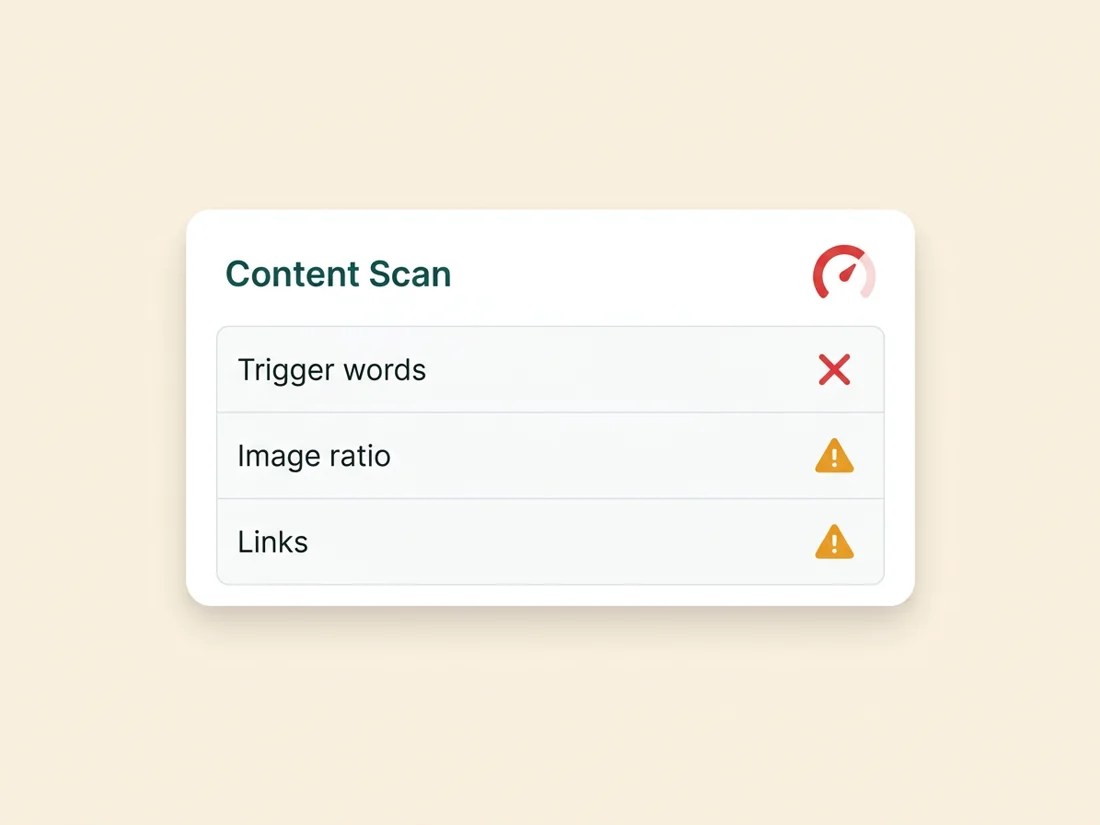
- Run a content score. SpamAssassin-style scoring runs hundreds of rules against your message, adding or subtracting points for things like failed authentication, heavy capitalization, poor HTML, and shortener links. The total is compared against a threshold, and the rule-by-rule breakdown tells you exactly what fired and why, so you know what to fix rather than guessing.
- Do an inbox placement test. Send to a set of seed addresses across Gmail, Yahoo, and Outlook to see whether the message lands in the inbox, the Promotions tab, or spam. This catches reputation and routing issues that a content score alone will miss.
- Audit links and images. Confirm every link points where its text says, swap shorteners for your own domain, and check that each image carries descriptive alt text. Preview the email with images disabled to make sure it still reads.
A practical pre-send checklist
Before your next campaign goes out, run through this short list:
- Confirm SPF, DKIM, and DMARC all pass for your sending domain.
- Keep a real balance of live text to images, and never send image-only.
- Add descriptive alt text to every image.
- Replace URL shorteners with links to your own authenticated domain, and trim excess links.
- Match your subject line to the body, and skip ALL CAPS, fake "RE:" prefixes, and manufactured urgency.
- Verify your list and prune unengaged contacts so you are mailing people who still want to hear from you.
- Run a content score and an inbox placement test, then fix what they flag.
SpamCipher is the cold email platform for unlimited, automated sending, and its content analysis pulls these checks into the same pipeline it sends from. It scores your message the way a provider's filter would, surfaces the image, link, and formatting issues that raise risk, and shows you where the message is likely to land, so you can fix problems before your subscribers ever see them.
See what your content is really signaling
Score your message, audit its links and images, and check inbox placement before you send.
Get started free