

Your sender reputation is the single biggest factor deciding whether your email lands in the inbox or the spam folder. It is not a setting you switch on. It is a trust score that mailbox providers build up over time from how you send and how people react. Here is what shapes it, how to see it, and the habits that keep it healthy.
What sender reputation actually is
Every time you send mail, providers like Gmail, Outlook, and Yahoo ask a quiet question: should we trust this sender? The answer is your reputation. It is a rating of the quality of the domains and IP addresses you send from, built from your sending behavior and from how recipients respond. A strong reputation gets you the benefit of the doubt. A weak one gets you filtered, throttled, or rejected outright.
Reputation comes in two layers. IP reputation is tied to the numeric address your mail leaves from. Domain reputation is tied to the sending domain people see in the From field. The distinction matters because providers have shifted their focus heavily toward the domain. Your IP can change when you switch providers or scale your sending, but your domain travels with you, which makes it a more reliable record of who you are. For most senders today, domain reputation is the lever that decides inbox placement, with IP reputation acting as a supporting signal.
Who measures it and how to see it
You cannot see a single universal "reputation number," because each provider scores you privately using data only it can see. What you can do is read the windows each one opens for senders.
- Google Postmaster Tools. A free dashboard for mail you send to Gmail. It reports your spam complaint rate, authentication results, encryption, and delivery errors. Note that Google retired its old High, Medium, Low, and Bad reputation dashboards in late 2025, so the focus now is on compliance and direct metrics like complaint rate rather than a headline reputation grade.
- Microsoft SNDS. Smart Network Data Services is Microsoft's free view into how your IPs perform at Outlook.com and Hotmail. It shows complaint rates, filter results, and crucially any spam-trap hits, which are a strong warning that your list hygiene has slipped.
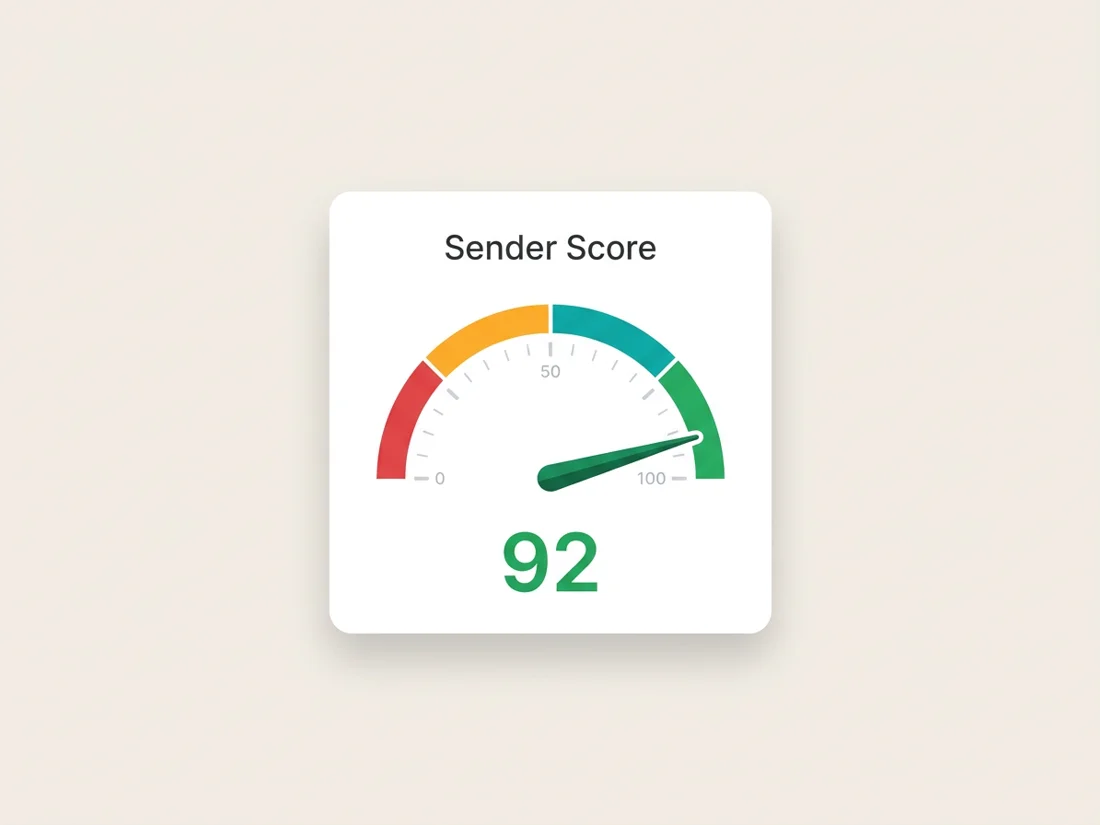
- Validity Sender Score. A third-party score from 0 to 100 that rates an IP address against others Validity observes across its network, based on complaints, unknown-user rates, spam-trap data, and blocklist presence. It is a useful directional gauge, but it reflects Validity's data, not what Gmail or Microsoft actually see, so a high score does not guarantee the inbox.
Read these together rather than fixating on one. They each capture a different slice of how the major providers perceive your mail.
The factors that move your reputation
Providers weigh a consistent set of signals. Knowing them tells you exactly where to put your effort.
- Spam complaint rate. How often recipients hit "report spam." This is one of the most damaging signals when it climbs.
- Spam-trap hits. Mail sent to addresses that exist only to catch senders with poor list hygiene. A single trap hit is a red flag about how you collect addresses.
- Bounce rate. Sending to invalid or non-existent mailboxes tells providers you are not maintaining your list.
- Authentication. Properly configured SPF, DKIM, and DMARC prove the mail is really from you and is the foundation everything else sits on.
- Recipient engagement. Opens, replies, and conscious actions like moving a message out of spam all signal that people want your mail. Persistent silence signals the opposite.
- Sending-volume consistency. Steady, predictable patterns build trust. Sudden spikes look like the behavior of a compromised account or a spammer.
- Blocklist status. Landing on a public blocklist can cut your delivery sharply until you are removed and the underlying cause is fixed.
How to build a strong reputation
A new domain or IP starts with no history, which means no trust. You build it deliberately.
Warm up gradually. Begin with a modest volume sent to your most engaged contacts, then increase steadily over days and weeks. The goal is to let providers see a consistent, trustworthy pattern rather than a cold domain suddenly blasting thousands of messages. (If you send on a shared IP, it is usually pre-warmed, but providers still judge your domain separately, so warming the domain still matters.) The full ramp process for a fresh domain is covered in our guide to warming up new domains.
Authenticate fully. Set up SPF and DKIM and publish a DMARC record before you send in volume. If those terms are new, our complete guide to email authentication walks through each one in plain language.
Send mail people asked for. Use clear opt-in, set honest expectations about frequency, and deliver what you promised. Permission is the cheapest reputation insurance there is.
Keep your list clean and your cadence consistent. Verify addresses before you add them at scale, and send on a regular rhythm rather than in unpredictable bursts.
How to protect the reputation you have
A good reputation is easier to keep than to rebuild. Protecting it is a routine, not a one-time project.
- Watch your complaint rate. Google asks senders to keep it below 0.3% in Postmaster Tools, and ideally under 0.1%. Cross that line and delivery can degrade fast.
- Keep bounces low with verification. Verifying addresses before you send catches invalid mailboxes before they bounce, which is one of the most direct ways to protect your standing.
- Honor unsubscribes fast. Offer one-click unsubscribe and process opt-outs promptly. Making it easy to leave keeps complaints down, which protects you far more than a hidden link ever could.
- Watch the blocklists. Check your domain and IPs against major blocklists regularly so a listing does not silently throttle your mail for days before you notice. If you do get listed, the blacklist removal playbook walks the delisting process operator by operator.
This is where ongoing monitoring earns its keep. SpamCipher is the cold email platform for unlimited, automated sending, and reputation is the asset its sending is built to protect: it warms your domains on an owned seed network, tracks your authentication, blocklist status, and the health signals behind your reputation, and its verification keeps invalid addresses off your list so bounces and complaints stay low in the first place.
How to recover a damaged reputation
If your delivery has dropped, do not panic and do not try to send your way out of it. Recovery is a deliberate pullback.
First, find and fix the root cause. Was it a spike in complaints, a batch of bounces from a stale list, a spam-trap hit, an authentication change, or a sudden volume jump? The bounce messages themselves usually name the culprit; our SMTP error codes guide decodes them, and the broader six-step diagnostic lives in email deliverability problems. Treating the symptom without fixing the cause just resets the clock.
Then pull volume back and re-engage only your actives. Pause sending to anyone who has not engaged recently and send a smaller, valuable stream to your most engaged contacts (think people who opened in the last 30 days). High engagement from a trimmed list is the clearest signal you can send that your mail is wanted.
From there, ramp up slowly, increasing volume step by step only while your complaint and bounce rates stay healthy. Recovery is measured in weeks, not days, so consistency matters more than speed. To understand the bounce signals you are watching, see our guide to hard versus soft bounces.
Keep your reputation in the green
Monitor your domain's authentication, blocklist status, and reputation signals, and verify your list to keep bounces and complaints low, all from one place.
Get started free