
Run any list through a verifier and the results that cause the most confusion are never the valid or invalid ones; they are the middle tier. Catch-all email domains that accept everything, disposable inboxes that will be gone by Friday, role accounts that reach a queue instead of a person: all three are technically deliverable and practically dangerous, which is exactly why verifiers refuse to call them safe. This guide explains what each risky type actually is, how detection works under the hood, and the precise policy for handling them. We are SpamCipher, an AI-powered sales engagement platform, B2B lead intelligence database, and email deliverability and security suite in one product, and the inbox placement you measure on our seed mailboxes depends on treating the risky middle with exactly the discipline this article lays out.
The risky middle between valid and invalid
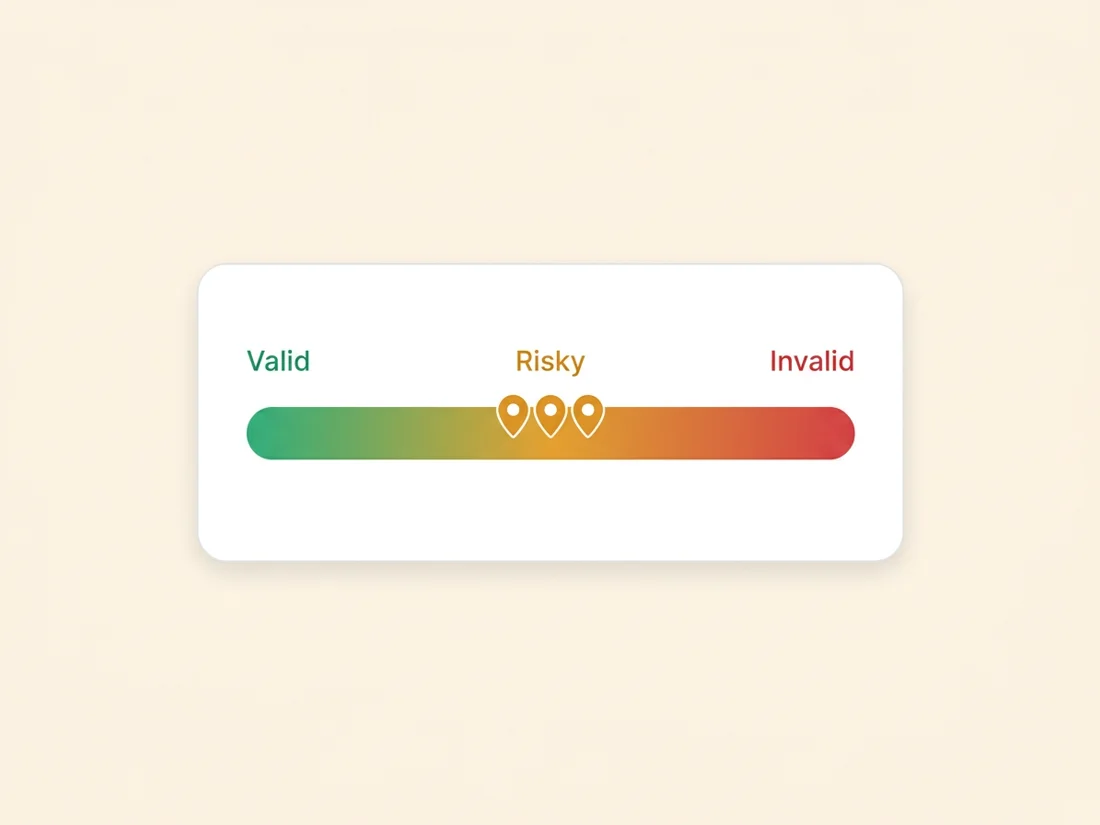
Most people expect address checking to be binary: the mailbox exists or it does not. The reality is a spectrum, and understanding why changes how you read every verification report you will ever see. A modern check, like the 19-point process described in what is email validation, can end in certainty at both ends: a failed syntax, dead domain, or rejected mailbox is certainly invalid; a confirmed, clean, individually addressable mailbox is valid with very high confidence. But between those poles sit addresses where the technical checks pass and something else is wrong.
The something-else takes three main forms. The catch-all hides the truth: the server accepts everything, so the mailbox-level answer is unknowable from outside. The disposable inverts the timeline: the address is real right now and guaranteed dead shortly. The role account breaks the assumption of a person: the mailbox is real and permanent, but nobody named it owns it. Three different failure modes, one shared property: sending to them carries risk that a "valid" label would hide, so an honest verifier labels them risky instead and hands the decision to you. The rest of this article is that decision, made properly for each type.
What is a catch-all email?
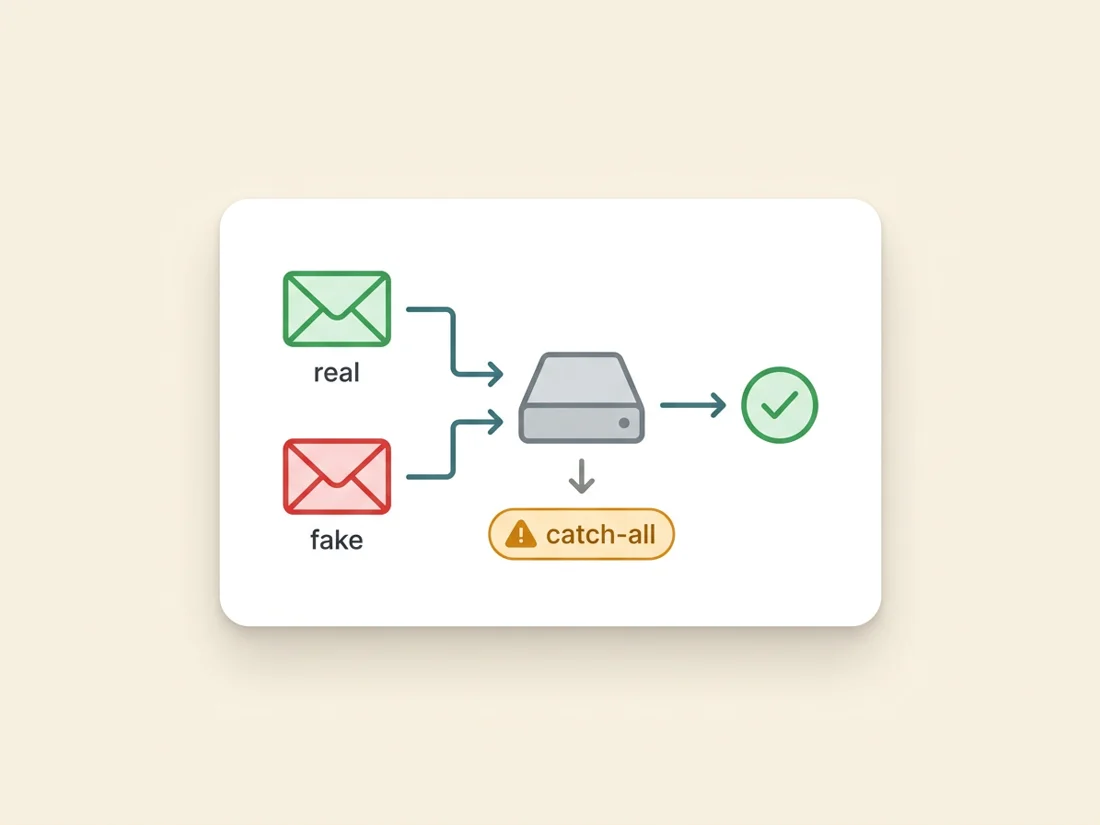
A catch-all (or accept-all) domain is configured to accept mail for every possible address at that domain, whether or not the specific mailbox exists. Send to jane.doe@acme.com, jd@acme.com, or completely.made.up@acme.com and the server says yes to all three at the door. Mail to real mailboxes gets delivered normally; mail to nonexistent ones is typically routed to an administrator's bucket, silently discarded, or, cruelly, bounced later with a delayed non-delivery report after the server already said yes.
Companies run catch-alls for defensible reasons: no lost mail when someone misspells an employee's name, continuity when staff leave, one bucket to monitor for anything sent to retired addresses. Some mail platforms have historically made the configuration easy to switch on, so it is common: depending on the industry and list source, a meaningful share of B2B domains you prospect into will be catch-all, and B2B senders encounter them far more than consumer senders do.
How detection works is worth understanding because it explains the label. During verification, the checker first confirms your target address is accepted, then probes the same domain with a deliberately absurd address that cannot exist, something like x9f2qz7-not-real@acme.com. If the server accepts that too, the game is up: acceptance at this domain carries no information about individual mailboxes, and every address on it gets marked catch-all rather than valid. The mechanics of the underlying SMTP conversation are in our guide on how to check if an email address is valid.
The risk profile follows directly. A catch-all address might be a real person who will reply tomorrow, or a typo that will bounce after acceptance, quietly annoy an admin, or feed a monitoring bucket. You cannot tell which from the outside, and neither can any tool that is telling you the truth. Vendors who mark catch-alls "valid" are selling confidence, not information. Worse, the failure mode is deferred: because the front door said yes, the eventual non-delivery arrives minutes or hours later as an asynchronous bounce message, after your platform already counted the send as delivered. Those late bounces still hit your reputation ledger; they just do it after you stopped watching.
Testing a domain yourself takes two minutes if you are curious. Run the same probe a verifier runs: check whether the domain's mail server accepts an address you invent. Look up the MX host (nslookup -type=MX acme.com), then, from a network that permits port 25, run the SMTP conversation from our address-checking guide twice: once with your real target, once with something like zz-definitely-fake-99@acme.com. Two acceptances means catch-all. One practical note: hosted platforms differ in temperament here. Google Workspace domains reject unknown mailboxes by default unless an admin sets a catch-all route, while some Microsoft 365 configurations and many self-hosted servers accept-all either deliberately or as a side effect of security features that mask mailbox existence, which is part of why B2B prospecting lists are so much heavier in catch-alls than consumer lists.
How to handle catch-all email addresses
Catch-alls are the one risky type where "it depends" is the honest answer, so here is the dependency spelled out as rules.
- Never bulk-send to unvetted catch-alls. A big batch of catch-all addresses from a scraped or purchased list carries an unknown, unknowable invalid rate, and the delayed bounces land on your reputation just like normal ones. Treat "catch-all" on a bulk import the way you treat "hold": out of the main send.
- Individually vetted catch-alls are sendable. For a hand-researched prospect, stack independent evidence: their LinkedIn confirms they work at the company, the address matches the pattern colleagues use, a footprint search shows the address in the wild. Evidence converts an unknowable into a reasonable bet, and one-to-one outreach to a well-evidenced catch-all is normal practice.
- Batch cautiously when the value justifies it. If a segment of catch-alls is genuinely important, send in small batches from infrastructure you can afford to bruise, watch the bounce numbers per batch, and stop the moment they climb. The bounce behavior of the first fifty tells you about the next five hundred.
- Let engagement upgrade them. A catch-all that opens, clicks, or replies has proven a human reads that mailbox. Promote it to your engaged segment and stop worrying about it; the recipient resolved the ambiguity for you.
Disposable addresses: built to vanish
Disposable (or temporary, or burner) addresses come from services whose entire product is an inbox that self-destructs: ten minutes, an hour, a day. A person who wants your gated PDF but not your newsletter grabs one, receives the download link, and never sees anything you send afterward. The address was completely real at signup, which is what makes disposables sneaky: a naive existence check at capture time passes.
Everything about disposables is bad for a sender. They contribute nothing (the human behind one deliberately opted out of hearing from you, so they will never open, click, or buy), they decay into hard bounces almost immediately (this week's disposable signups are next month's bounce spike), and at volume they poison your engagement statistics, because a growing slice of your denominator is mailboxes that stopped existing. There is no evidence-based exception like the catch-all has: no amount of research makes a burner address worth keeping.
Detection is a list problem rather than a protocol problem. Verifiers maintain constantly updated databases of disposable-provider domains, tracking the new domains these services rotate through weekly precisely to evade blocking. That freshness is the whole game: a stale disposable list is barely better than none, which is one of the quiet quality differences between verification vendors.
One distinction saves innocent addresses from the purge: plus-addressing is not disposable. An address like jane+newsletters@gmail.com uses a standard aliasing feature where everything after the plus routes to Jane's real, permanent inbox; people use it to organize mail and trace who shared their address. It signals a savvy user, not a burner, and it deserves normal valid treatment. The disposable label belongs to dedicated burner domains, not to tagging syntax on real providers, and a verifier that conflates the two is over-filtering your list.
Handling takes one sentence: remove disposables from every list, and block them at the point of capture with a real-time validation API so they never enter your database at all. If your lead magnet attracts heavy disposable usage, that is useful market feedback about the value exchange, not a reason to keep the addresses.
Role accounts: a mailbox, not a person
Role-based addresses are named for a function instead of a human: info@, sales@, support@, admin@, billing@, team@, hello@. They are permanent, deliverable, and often actively monitored, so unlike the other two types nothing about them is fake. What they break is the assumption underneath outreach and marketing: that a specific person consented to, or was chosen for, your message.
The risks are behavioral rather than technical. A role inbox is read by several people or by whoever drew the short straw this week, so nobody owns the relationship: your carefully personalized opener reads absurd addressed to a queue. Complaint risk multiplies, because any one of the readers can hit the spam button on mail their colleague signed up for. Engagement runs low and erratic, feeding the reputation models noise. And some role addresses (abuse@, postmaster@) are standards-mandated administrative endpoints where marketing is somewhere between rude and reportable.
Detection here is the simplest of the three: verifiers match the local part against a maintained keyword list, typically a few dozen entries covering the functional standards (info, admin, sales, support, contact, office, hr, jobs, press, legal, noreply and friends) plus common variants. No server conversation needed; the name itself is the signal. There is also a compliance wrinkle worth knowing if you prospect into Canada: CASL's implied-consent lane for conspicuously published business addresses fits a named professional whose role matches your message far more comfortably than a generic shared inbox, so the role flag doubles as a compliance flag for that segment, a nuance covered in our email compliance guide.
But role accounts also have legitimate uses the other risky types lack, which is why the right action is a flag rather than a delete. Transactional mail (receipts, alerts, invoices) to billing@ is exactly right. Partnership or vendor outreach to partnerships@ reaches its intended audience. A small business's hello@ often is the founder. The rule: role accounts are fine when the function is the audience, wrong when your message pretends to address a person. Segment them out of person-to-person outreach and marketing; keep them where function-to-function communication makes sense.
One policy for all three
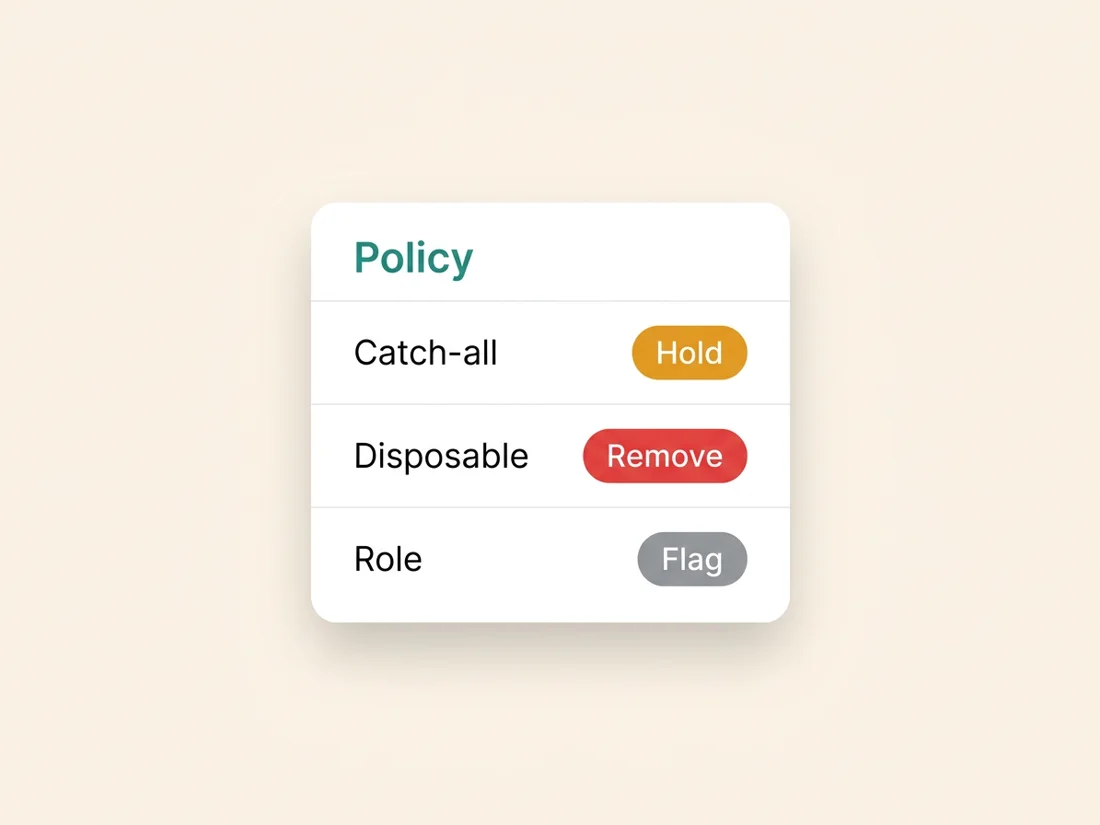
Put the three types side by side and the handling policy compresses into a matrix you can run on autopilot.
- Catch-all: HOLD. Out of bulk sends by default. Sendable individually with evidence, in monitored small batches when valuable, upgraded to safe on any real engagement.
- Disposable: REMOVE. No exceptions, and block at capture so removal stops being necessary.
- Role: FLAG. Out of outreach and marketing; retained for transactional and function-appropriate mail.
Two implementation notes make the policy stick. First, apply it at every entry point, not just in quarterly cleanups: forms, imports, enrichment, and CRM syncs should all pass through validation so risky types are labeled the moment they arrive, part of the same discipline as cleaning your email list the right way. Second, make the policy enforced rather than remembered. In SpamCipher, campaign leads that were never checked are verified before the first send at no charge, so catch-alls, disposables and role accounts are labeled before anything goes out, and the send is built from addresses that earned the trust. That check, alongside warm-up on SpamCipher's own seed network, seed-based placement tests and blacklist monitoring, keeps the whole send measured. The risky middle stops being a judgment call you make under deadline and becomes a property of the pipeline.
One final connection worth making: the risky middle is also where tomorrow's spam traps come from, because abandoned domains and recycled mailboxes pass through exactly these grey states on their way to becoming tripwires. Handle the middle tier with discipline and you are not just avoiding today's bounces, you are staying clear of the addresses that turn into next quarter's blacklisting. If you build lists through prospecting, pairing this policy with a verified email finder means the addresses arrive pre-sorted, which is the cheapest version of the whole problem.
Sort the risky middle automatically
Run your list through 19-point validation and get every catch-all, disposable, and role account labeled before a single send. Verification is 1 credit per address with unknowns refunded, and it sits alongside warm-up and inbox placement tests in one platform.
Validate your list free