
Google Forms email validation is one of those phrases that means two very different things depending on who says it. To Google Forms, it means checking that a response is shaped like an email address. To anyone who will actually send email to those responses, it needs to mean checking that a real mailbox exists behind the shape, because those are not the same question and the gap between them is where bounces are born. This guide covers every layer honestly: what the native settings actually do, a working regex and its limits, the Apps Script route that adds real verification, and the periodic cleanup that catches everything else. We are SpamCipher, an AI-powered sales engagement platform, B2B lead intelligence database, and email deliverability and security suite in one product, with unlimited email sending on SpamCipher ONE (every mailbox kept inside its own daily cap), sequences for automated cold email, and seed-based inbox placement tests; good deliverability starts at data capture, which is exactly where a Google Form sits.
Why form-level validation decides everything downstream
A Google Form is usually the front door to something bigger: a lead list, an event roster, a waitlist, a newsletter. Whatever email program sits behind the form inherits the quality of what the form accepts, and it inherits it permanently, because bad addresses do not announce themselves at entry. They wait in the response sheet until the day you send to them, and then they announce themselves as hard bounces, all at once.
The arithmetic is unforgiving. Mailbox providers enforce a bounce ceiling of roughly 2% in 2026, and form-collected lists routinely carry 5-10% bad addresses when nothing beyond format checking guards the door: fat-fingered typos, deliberately fake entries from people who want the thing but not the emails, disposable addresses that self-destruct within the hour, and real addresses that die between signup and first send. Every one of those was cheapest to handle at the moment of capture, while the person was still on the page and could correct a typo in five seconds. Handled later, the same address costs a bounce, a cleanup pass, or in the worst case a piece of your sender reputation, the compounding logic covered in why email automation fails without clean data.
Worth naming early: confirmation email (double opt-in) and validation are complements here, not substitutes. A confirmation click proves a human owns the mailbox, which is the strongest guarantee available, but the confirmation email itself has to arrive first, and it cannot arrive at a typo, a disposable that expired, or a dead mailbox. Validating before confirming means the confirmation step runs against addresses that can actually receive it, so your opt-in rate measures interest instead of measuring your typo rate. Forms with valuable rewards should run both layers; the validation verdict decides whether the confirmation is even worth sending.
So the question is not whether to validate a Google Form's email field; it is how deep each available layer goes, and how to stack them. Forms gives you two native layers and a scripting escape hatch, and each catches a different slice of the problem.
What Google Forms email validation does natively
Google Forms ships two built-in mechanisms, and knowing exactly what each checks (and does not) saves a lot of misplaced confidence.
Response validation on a short-answer question. Add a Short answer question, open the three-dot menu at the bottom right of the question card, and choose Response validation. Set the dropdown chain to Text and then Email address, with an optional custom error message. From that point the form refuses to submit unless the field contains something structurally shaped like an address: a local part, an @, a domain with a dot. That is the entire check. zzz@zzz.zz passes. jane@gmial.com passes. A disposable ten-minute address passes. What gets caught is the honest formatting mistake: the missing @, the trailing comma, the phone number typed in the wrong box.
The collect-email-addresses setting. Under Settings, the Responses section offers Collect email addresses with two flavors. Responder input adds an email field the respondent types into, format-checked exactly like response validation above. Verified requires the respondent to be signed into a Google account and records that account's address automatically, no typing involved. Verified is genuinely stronger: the address exists and belongs to the person, by construction. Its costs are the flip side: it forces sign-in (real friction, and a hard blocker for respondents without Google accounts or on locked-down work profiles), and it captures whichever account the person happens to be signed into, which for B2B purposes is often a personal Gmail rather than the work address you wanted.
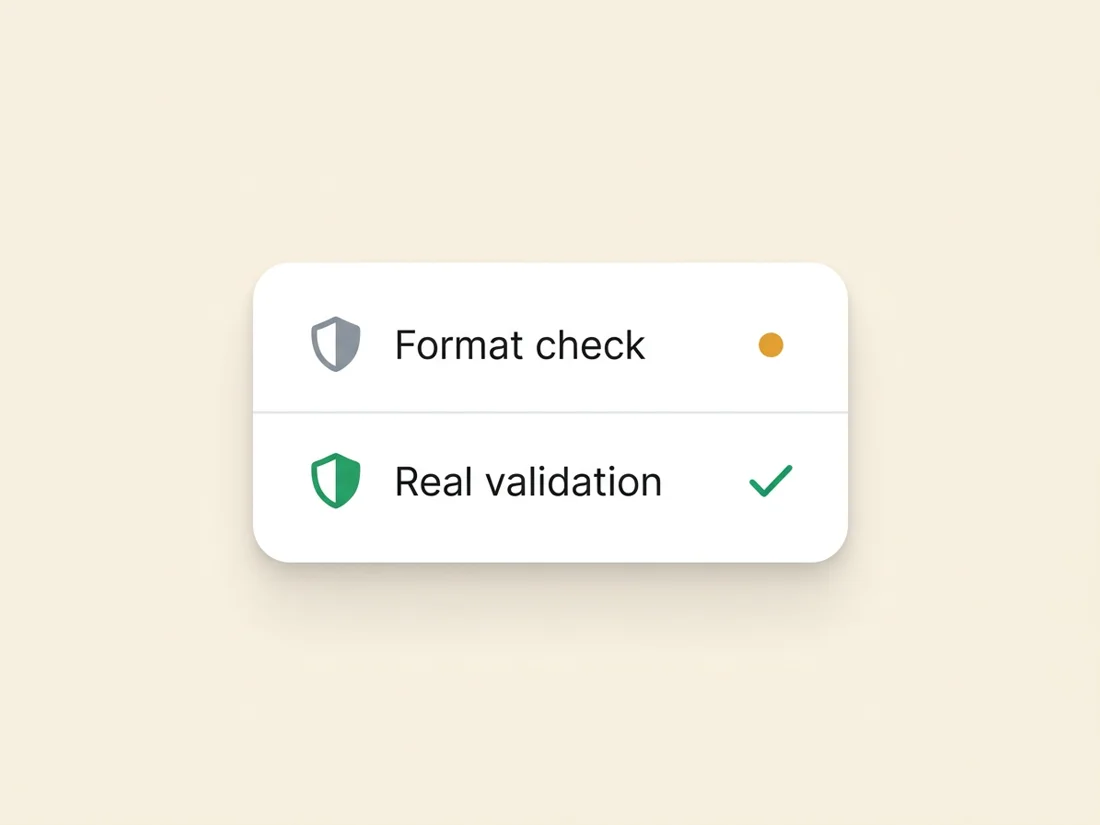
Both mechanisms are worth switching on; neither answers the sender's question. Format-checked input tells you the string is legal. Verified tells you a Google account exists. Neither tells you the corporate address a respondent typed will accept mail next Tuesday, and that is the question your bounce rate gets graded on.
The regex route, and where it stops
Response validation has a third option worth knowing: instead of Text, choose Regular expression, select Matches, and supply your own pattern. This buys you stricter formatting than the default and a little policy enforcement. A solid general-purpose pattern:
^[A-Za-z0-9._%+-]+@[A-Za-z0-9.-]+\.[A-Za-z]{2,}$That enforces a sane local part, a real domain shape, and a top-level domain of at least two letters. You can go further with policy patterns: a company-only form can require your own domain with ^[A-Za-z0-9._%+-]+@acme\.com$, or a B2B lead form can reject the big consumer domains outright:
^(?!.*@(gmail|yahoo|hotmail|outlook|aol|icloud)\.)[A-Za-z0-9._%+-]+@[A-Za-z0-9.-]+\.[A-Za-z]{2,}$Useful, and honest about its species: this is still format checking with better manners. A regex cannot know that gmial.com is a typo of a domain that exists, that a perfectly-shaped address on a real domain was deleted two years ago, or that a burner service registered a fresh disposable domain this morning. Regex is the ceiling of what validation-at-the-form-widget can do in Google Forms, because the widget only ever sees the string.
The honest gap: what format checks miss
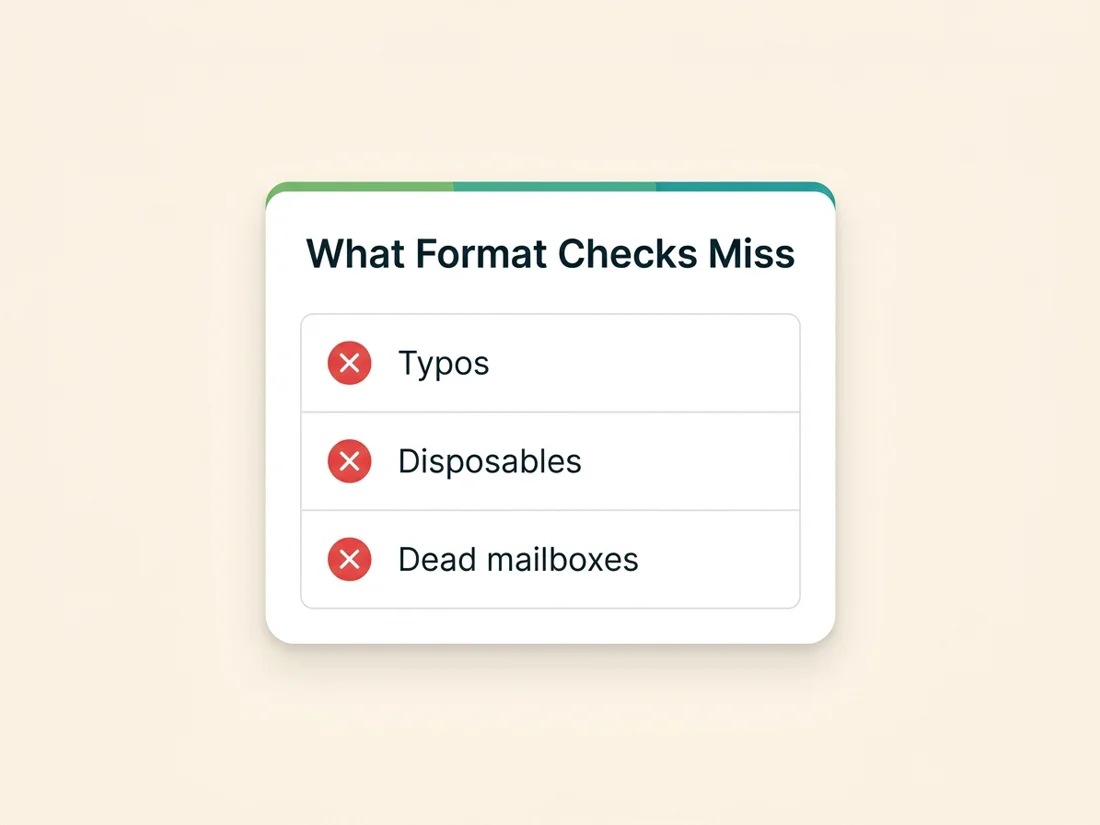
Name the escapees precisely, because they are the addresses that will define your list's quality.
- Typos on real domains.
jane@gmial.comandjohn@acme.cmoare structurally perfect and completely undeliverable. Typos are the most common failure on typed email fields, they are invisible to every native layer, and they are the most fixable of all: a real-time check can suggest the correction while the respondent is still there. - Disposable addresses. Ten-minute mailboxes are real, live addresses at submission time. Only a maintained database of burner domains catches them, which is a moving target no static pattern can track; the mechanics are covered in the risky address types guide.
- Dead mailboxes. The ex-employee's corporate address, the abandoned secondary account: legal shape, resolvable domain, and a guaranteed bounce. Detecting them requires an actual SMTP conversation with the receiving server, the core of real email validation.
- Deliberate fakes.
asdf@asdf.comfrom someone who wants the download without the relationship. Some are dead (bounce), some are real strangers' addresses (complaint risk); both are toxic, and neither offends a format check.
Real Google Forms email validation with Apps Script
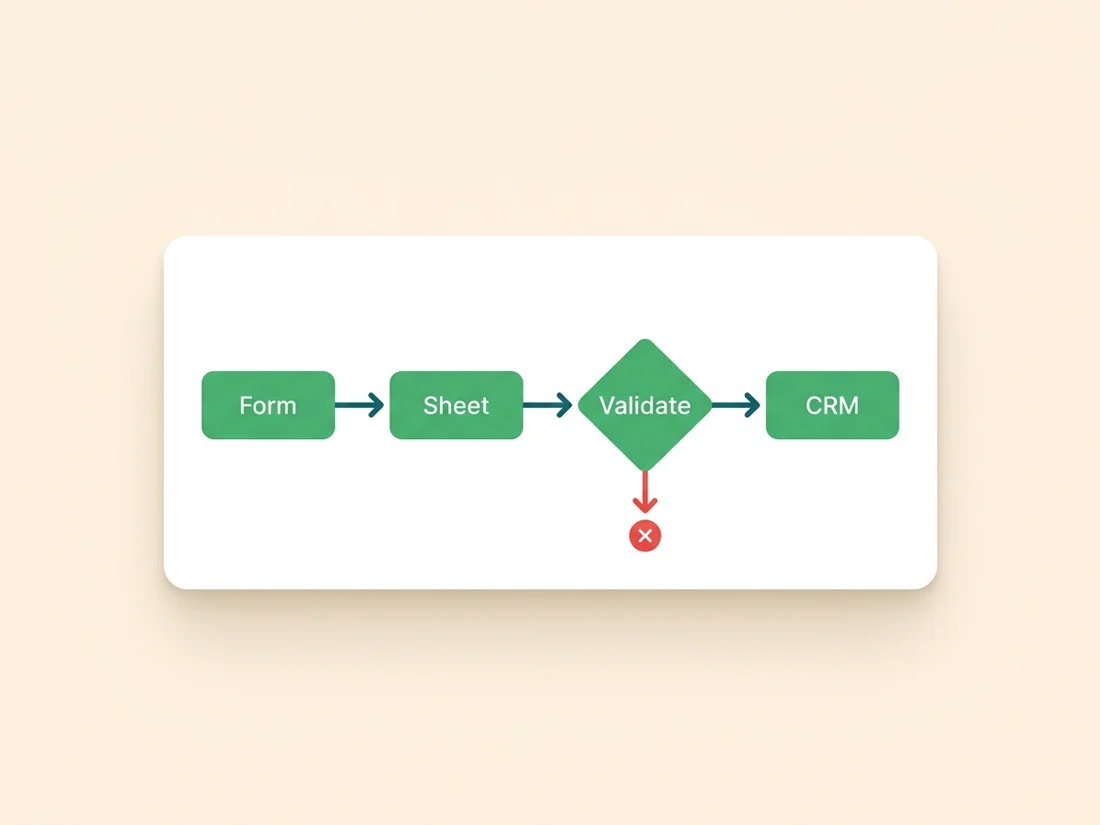
Google Forms cannot call an external verification service from inside the form widget, but every form has a scripting layer one click away: Extensions › Apps Script (from the form or, more commonly, from the linked response spreadsheet). An installable onFormSubmit trigger fires on every submission, and the handler can pass the address to a real-time validation API and write the verdict back next to the response. The shape of the script:
function onFormSubmit(e) {
  var email = e.namedValues['Email'][0];
  var res = UrlFetchApp.fetch(
    'https://api.example.com/v1/validate?email='
      + encodeURIComponent(email),
    { headers: { Authorization: 'Bearer ' + API_KEY } }
  );
  var verdict = JSON.parse(res.getContentText());
  var sheet = SpreadsheetApp.getActiveSheet();
  sheet.getRange(e.range.getRow(), sheet.getLastColumn())
       .setValue(verdict.status);  // valid / invalid / catch-all / disposable
}
Swap the endpoint for a real one (our real-time validation API returns a verdict for each address in one response, at 1 credit per address with unknowns refunded), store the key in Script Properties rather than the source, and add the trigger under the script's Triggers panel as an installable spreadsheet trigger on form submit. From then on, every response row carries a verdict column, and downstream automation can key on it: only valid rows sync to the CRM or mailing list, invalid and disposable rows get parked, catch-alls get the hold treatment.
One honest limitation to design around: Apps Script runs after submission, so it cannot block a bad address or prompt the respondent to fix a typo the way a native website form with an inline API call can. On Google Forms, real validation is a gate between the form and everything downstream rather than a bouncer at the door. That is still most of the value, because the damage from bad addresses happens downstream, exactly where the gate now stands.
Four hardening details separate a demo script from one you can forget about. Handle the unknown verdict: greylisting servers sometimes return no definitive answer on the first probe, so treat unknown as retry-later (a time-driven trigger re-checking unknown rows hourly resolves nearly all of them) rather than as valid or invalid. Use the typo suggestion: good validation APIs return a corrected candidate for common misspellings (gmial.com back to gmail.com); write it to its own column and confirm by mailing the correction, never by silently substituting it. Respect quotas: Apps Script caps UrlFetchApp calls per day (thousands on consumer accounts, more on Workspace), which is ample for form traffic but argues for the batch route if a viral form suddenly collects tens of thousands of rows. Fail safe: wrap the fetch in a try/catch that marks the row unchecked on error, and let the periodic sweep pick those up, so an API hiccup never silently passes an unverified address downstream.
The batch route: cleaning the response sheet
No script, no triggers, still effective: treat the response spreadsheet as a list and validate it on a schedule. Export the email column (or the whole sheet), run it through bulk validation, and act on the tiers: remove invalid and disposable rows before they ever reach a send, hold the catch-alls, keep the valid. For a form that feeds a monthly newsletter import or a quarterly event, batch cleaning immediately before each use catches everything the native checks missed plus the addresses that died since submission, which the real-time gate cannot see either.
Two pieces of sheet housekeeping make the batch loop painless. Deduplicate before validating (=UNIQUE() on the email column, or Data › Data cleanup › Remove duplicates), because forms collect repeat submissions constantly and there is no reason to pay to verify the same address twice. And keep the verdict in the sheet rather than in your head: a dedicated status column, filtered views for each tier, and a rule that downstream exports always filter to valid. The sheet then doubles as its own audit trail, showing what was checked when, which is exactly the provenance habit that pays off later.
The right cadence follows the form's rhythm. Continuous high-volume forms deserve the Apps Script gate plus a monthly batch sweep (the gate for freshness, the sweep for decay). Occasional-use forms can skip the script entirely and rely on validate-before-every-use, the same discipline as any list per list decay rules: data that sat for a month is unverified data, whatever it was when it arrived.
The batch sweep also quietly handles a problem Forms has no native answer for: bot submissions. Public form links get discovered and stuffed by automated junk eventually, and Google Forms offers no CAPTCHA to stop it. Validation will not identify a bot as a bot, but it reliably flags what bots submit (malformed strings, dead domains, disposable addresses), so the same verdict column that guards against typos ends up filtering most automated garbage as a side effect.
When to graduate beyond Forms
Google Forms earns its place: free, instant, zero-maintenance, and perfectly adequate for internal surveys, event RSVPs, and early-stage lead capture. But the ceiling is real, and three signals say you have hit it. First, when typo losses start to hurt: only a form that validates inline during typing can rescue gmial.com while the person is still there, and on Forms that moment is structurally out of reach. Second, when volume makes the verdict-column workflow feel like a second job. Third, when email is the business: a signup form feeding a revenue-bearing list deserves native real-time validation wired into the form itself, the standard we set in the list-building foundations.
Graduation is not dramatic: a simple embedded form on your own page, calling the same validation API inline before accepting the submission, closes every gap in this article at once, typo correction included. The verification layer stays identical; it just moves from behind the form to inside it. And whichever side of that graduation you are on, the principle is the same one that runs through everything we build: no address reaches a sending system without a real verdict attached. That gate, plus warmed mailboxes, seed-measured placement, and automation with brakes, is how SpamCipher runs outreach. Your Google Form is the first link in that chain; give it a real check and every link after it inherits clean data.
Put a real verdict on every form response
Wire the real-time validation API behind your form in an afternoon, or batch-clean the response sheet in minutes. Verified capture feeding sequences with unlimited sending on ONE (per-mailbox caps) and placement you measure on seed mailboxes.
Validate your form's responses