You have seen it in your own inbox: some senders get their logo in a neat round avatar, and a few get a blue verified checkmark next to their name, the same trust signal social platforms trained everyone to look for. That is not a Gmail setting you can toggle. The Gmail blue checkmark is the visible tip of a full authentication stack called BIMI, backed by a certificate that proves you own your logo the way a passport proves you own your name. This guide explains exactly what the checkmark requires, the step-by-step setup, what it costs, and, honestly, who should bother. We are SpamCipher, an AI-powered sales engagement platform, B2B lead intelligence database, and email deliverability and security suite in one product, with unlimited email sending on SpamCipher ONE (every mailbox kept inside its own daily cap), sequences for automated cold email, and seed-based inbox placement tests; brand verification rests on the same authentication foundation our DMARC monitoring watches, so this is home turf.
What the Gmail blue checkmark actually is
Three separate pieces stack up to produce that little blue badge, and naming them precisely saves a lot of confusion later.
- BIMI (Brand Indicators for Message Identification) is an open standard that lets a domain publish, in DNS, an official logo to display next to its authenticated email. BIMI is the delivery mechanism: a small text record that says "here is our logo, and here is the proof we may use it."
- The VMC (Verified Mark Certificate) is the proof. It is a digital certificate, issued by a certificate authority after verifying your organization and your registered trademark, that binds your logo to your domain. Think of it as an SSL certificate for your brand mark.
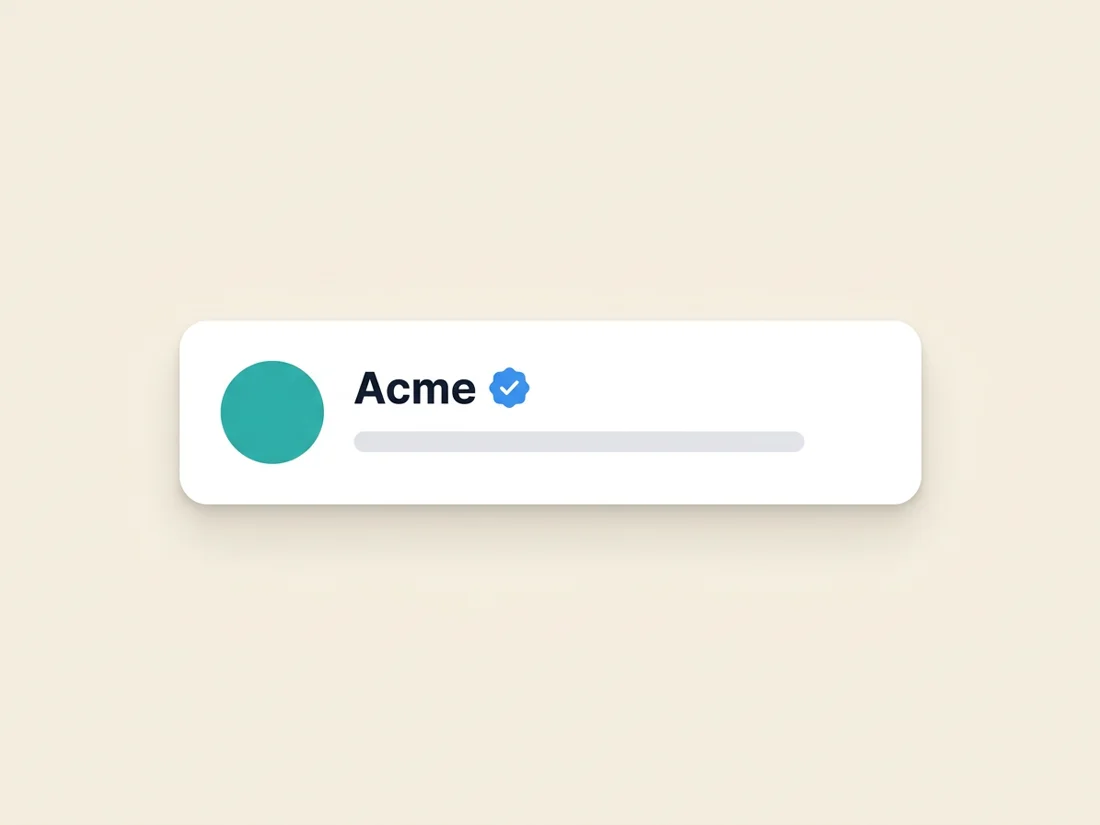
- The checkmark itself is Gmail's UI reward for the combination: since 2023, senders with BIMI plus a valid VMC get the blue verified badge next to their sender name, on top of the logo avatar. The logo says "this brand"; the checkmark says "and Google verified it."
Some quick history explains why this exists. BIMI grew out of the AuthIndicators Working Group (Google, Yahoo, Fastmail, Proofpoint, and others) as a way to give DMARC adoption a visible reward, and Gmail turned its pilot into general availability in 2021, then added the blue checkmark layer in May 2023, deliberately echoing the verification badges users already understood from social platforms. The timing was not cosmetic: brand-impersonation phishing was, and remains, one of the dominant attack patterns in email, and a logo that only renders for cryptographically authenticated mail gives recipients a signal a spoofer cannot fake. That is also why there is no shortcut around the requirements below; the entire value of the badge rests on it being unobtainable without proof.
The critical fact underneath all of it: BIMI only activates for mail that passes DMARC at an enforcement policy. That is the entire security logic of the standard. Anyone can paste your logo into an email body; nobody can display your BIMI logo without passing authentication as your domain, because the logo only renders when DMARC says the mail is genuinely yours. The checkmark is therefore not a cosmetic upgrade, it is a certification that your SPF, DKIM, and DMARC house is fully in order, which is why the setup below spends most of its effort there.
What the Gmail blue checkmark requires
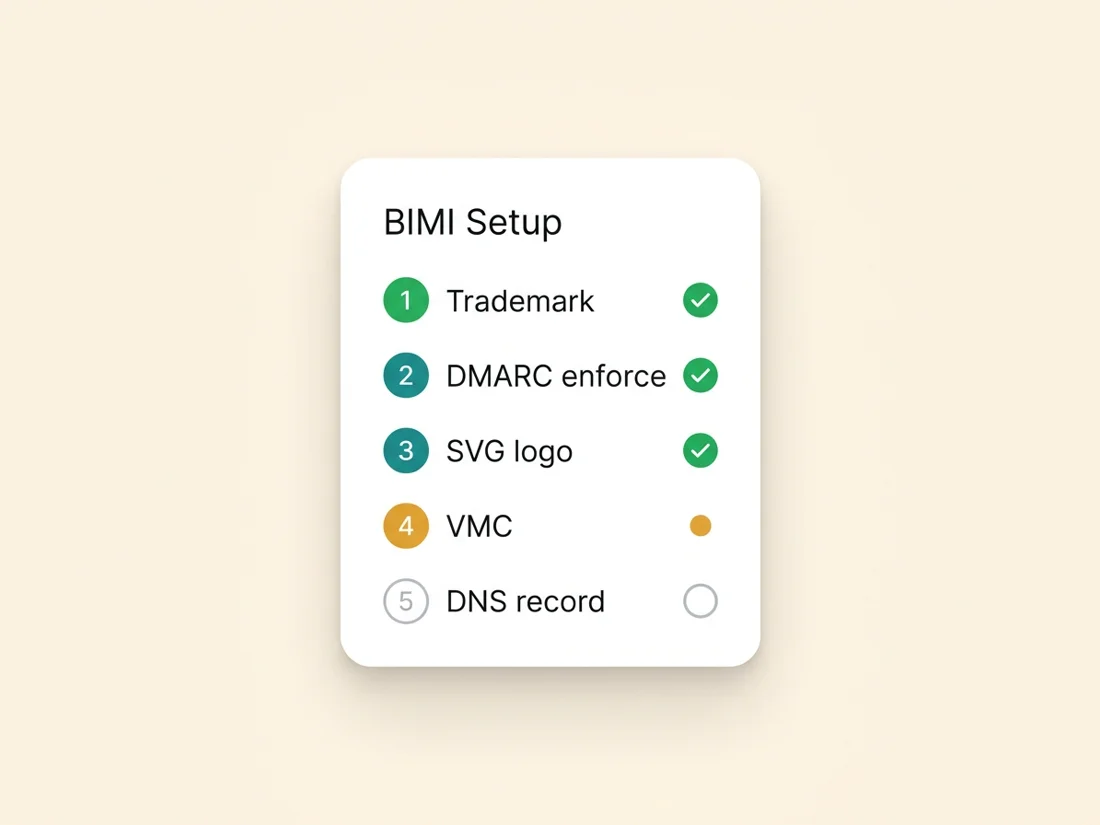
Four requirements, and every one is a hard gate. Check them against your situation before spending anything.
- 1. A registered trademark on your logo. The VMC verification process requires your logo to be a registered trademark with a recognized intellectual property office (USPTO, EUIPO, UKIPO, and equivalents). Registered means granted, not applied-for. If your logo is not trademarked, you either start that process (typically several months to over a year) or use the newer CMC path covered below, which trades the checkmark away.
- 2. DMARC at enforcement, at 100%. Your DMARC policy must be
p=quarantineorp=reject, applied to all mail (nopctcarve-outs below 100), and your subdomain policy cannot be weaker in a way that leaves gaps. A domain sitting atp=none, which is where most senders live, does not qualify. This is usually the longest and most consequential part of the project. - 3. Your logo as an SVG Tiny PS file. BIMI logos must be in SVG Tiny 1.2 Portable/Secure profile: a restricted SVG format with no scripts, no external references, and a square aspect ratio, ideally on a solid background circle-safe design since clients crop to a circle. A designer or a BIMI-specific converter turns your existing vector logo into this format in under an hour.
- 4. The VMC itself. Issued by the certificate authorities authorized for mark certificates (DigiCert and Entrust were the founding issuers). Verification involves proving your organization's identity and your trademark registration, plus a notarized or recorded liveness step. Budget roughly $1,000-1,700 per year depending on issuer, renewed annually like any certificate.
The setup, step by step
With the requirements understood, the project runs in six steps. Steps two and six are where the real work lives.
- Step 1: confirm the trademark. Verify your logo's registration status and registration number with your IP office. If it is not registered, decide now between filing (long) and the CMC path (below), because everything else waits on this decision.
- Step 2: get DMARC to enforcement, carefully. Do not jump a
p=nonedomain straight top=reject; that is how legitimate mail gets destroyed. Collect and read your aggregate reports for a few weeks to find every legitimate sending source (your ESP, your CRM, billing tools, support desks), fix their SPF alignment or DKIM signing, then step the policy up:p=nonetop=quarantine, watch the reports, thenp=reject. The full workflow is in reading your DMARC reports, and the target state looks like:
_dmarc.yourdomain.com  TXT
"v=DMARC1; p=quarantine; rua=mailto:dmarc@yourdomain.com; pct=100"- Step 3: produce the SVG Tiny PS logo. Convert your vector logo to the restricted profile, square canvas, solid background, and host it at a stable HTTPS URL on a server you control. In practice this trips more teams than expected, so know the constraints going in: the file must declare
baseProfile="tiny-ps"and carry a<title>element, and it may not contain scripts, animation, external links or references, embedded raster images, or x/y attributes on the root element. A normal export from Figma or Illustrator will fail on several of these, which is why the working group publishes a conversion tool and most VMC issuers validate the file during application. Design-wise, remember clients render it inside a small circle: center the mark, keep generous padding, use a solid brand-color background rather than transparency, and test legibility at 32 pixels, because that is roughly the size your logo will actually live at in an inbox row. - Step 4: purchase the VMC. Apply with your chosen CA, supply the trademark registration details and organization documents, complete the identity verification, and receive a PEM certificate file. Host it at a stable HTTPS URL alongside the logo.
- Step 5: publish the BIMI record. One TXT record in DNS, at the
defaultselector, pointing to both files:
default._bimi.yourdomain.com  TXT
"v=BIMI1; l=https://yourdomain.com/logo.svg; a=https://yourdomain.com/vmc.pem"- Step 6: validate and wait. Run the domain through a BIMI inspector to confirm the record, logo format, and certificate all parse, then send test mail to Gmail and Yahoo accounts. Display is not instant: providers apply their own sender-reputation threshold before showing logos, so a domain with thin or shaky sending history may wait weeks after a technically perfect setup. If the logo does not appear, the usual culprits are, in order: DMARC not truly at enforcement, an SVG that fails the Tiny PS profile, or simply not enough positive sending history yet.
VMC vs CMC: what each certificate buys
In 2024 the mark-certificate program added a second tier, and choosing correctly saves either money or disappointment.
- VMC (Verified Mark Certificate). Requires a registered trademark. Buys you the logo avatar and the blue checkmark in Gmail. This is the full product, and the only path to the checkmark.
- CMC (Common Mark Certificate). Built for brands without a registered trademark: instead, you prove the logo has been in continuous use for at least 12 months (prior certificate records or archived evidence). It typically costs somewhat less than a VMC. It buys you the logo avatar in Gmail, but not the blue checkmark. The checkmark stays exclusive to trademark-verified marks.
There is also a third tier worth knowing about because it is free: self-asserted BIMI, a record that publishes only the logo location with no certificate at all (l= set, a= empty). Gmail ignores it; the logo and checkmark there require a certificate, full stop. But Yahoo has historically displayed self-asserted BIMI logos for senders with strong reputation, and some smaller providers follow the same policy. If your audience includes meaningful Yahoo volume, publishing a self-asserted record costs nothing beyond the SVG work you would do anyway, functions as a dress rehearsal for the full setup, and upgrades in place the day you add a certificate URL to the record.
The decision rule is simple. Trademark already registered: buy the VMC, take both benefits. No trademark and you mainly want the visual brand presence in the inbox: the CMC gets you the logo now, and you can upgrade to a VMC if you later register the mark. No trademark and the checkmark specifically is the goal: the trademark filing comes first, and the certificate follows it, so start that clock early. And if the budget answer is zero for now, self-assert for Yahoo and revisit when the trademark lands.
Where BIMI logos actually display
BIMI is an open standard adopted by several major mailbox providers, with one significant holdout worth planning around.
- Gmail: logo avatar plus the blue checkmark with a VMC; logo only with a CMC. This is the flagship implementation and the biggest audience.
- Yahoo (including AOL): one of the earliest adopters; displays BIMI logos broadly, VMC recommended.
- Apple Mail: supports BIMI with a VMC from iOS 16 and macOS Ventura onward, showing the logo in the message list and header. Given Apple Mail's share of opens, this is a bigger win than most senders realize.
- Fastmail and several regional providers (La Poste, Onet, and others) also render BIMI logos.
- Microsoft (Outlook, Hotmail, Microsoft 365): the notable holdout. Microsoft runs its own brand-logo program and has not adopted BIMI, so your Outlook audience sees no BIMI logo and no checkmark regardless of your setup.
Practical read: if your audience skews consumer (Gmail, Yahoo, Apple), BIMI covers most of your opens. If you sell into Microsoft-shop enterprises, the visual payoff shrinks, though the DMARC work underneath pays either way, as the next section argues.
Is the Gmail blue checkmark worth it?
Honest math, both directions. The full project costs a trademark registration if you lack one (hundreds to a few thousand dollars, months of waiting), a mark certificate at roughly $1,000-1,700 every year, a few hours of design and DNS work, and a DMARC enforcement project of a few weeks. What it buys:
- Impersonation protection with teeth. This is the underrated half. To display your mark, mail must pass DMARC as you, which means the enforcement policy you built is actively rejecting spoofed mail using your domain. Phishing that imitates your brand also gets visibly weaker: your real mail carries a logo and checkmark, the fake mail cannot.
- Recognition and trust in the inbox. A logo and verification badge make your mail visibly yours in a list of grey initials. Providers and brands report engagement lifts from BIMI adoption; treat specific percentages skeptically, but the direction (recognized senders get opened more) is well established.
- The forcing function. For many organizations the checkmark project is the executive-legible reason the company finally moves DMARC from
p=noneto enforcement, and that migration improves your posture with every mailbox provider, BIMI-supporting or not. Filters treat fully enforced authentication as the mark of a serious sender, which feeds the reputation that decides placement.
Our recommendation splits by sender type. Established consumer brands: clearly worth it; the trust asset compounds and the anti-phishing value alone can justify the certificate. B2B senders with real volume: worth it if the trademark already exists; do the DMARC work regardless, then the certificate is a small add-on. Cold email senders: do everything in this article except the certificate first. Your money is better spent where placement is actually decided: verified lists, warmed domains, measured placement, throttled risk. The checkmark makes trusted mail look trusted; it does not make filtered mail deliverable, and if placement is your problem, fix that first (that is precisely the pipeline described in how we approach inbox placement).
Whatever tier you land on, the foundation is identical: authentication fully enforced, monitored, and never drifting. That layer is part of SpamCipher: DMARC posture watched by compliance monitoring that reads your aggregate and forensic reports and alerts on new sources and authentication failures, so the enforcement you built for the checkmark stays built. Get the foundation right and the badge is a weekend project; get it wrong and no certificate can help.
Build the foundation the checkmark sits on
Get DMARC to enforcement safely, keep it monitored, and send on a pipeline with verified lists and measured placement. The blue badge is the visible layer; the authentication and reputation underneath are what we do all day.
Check your DMARC posture